
Getting started
What is Gigspend?
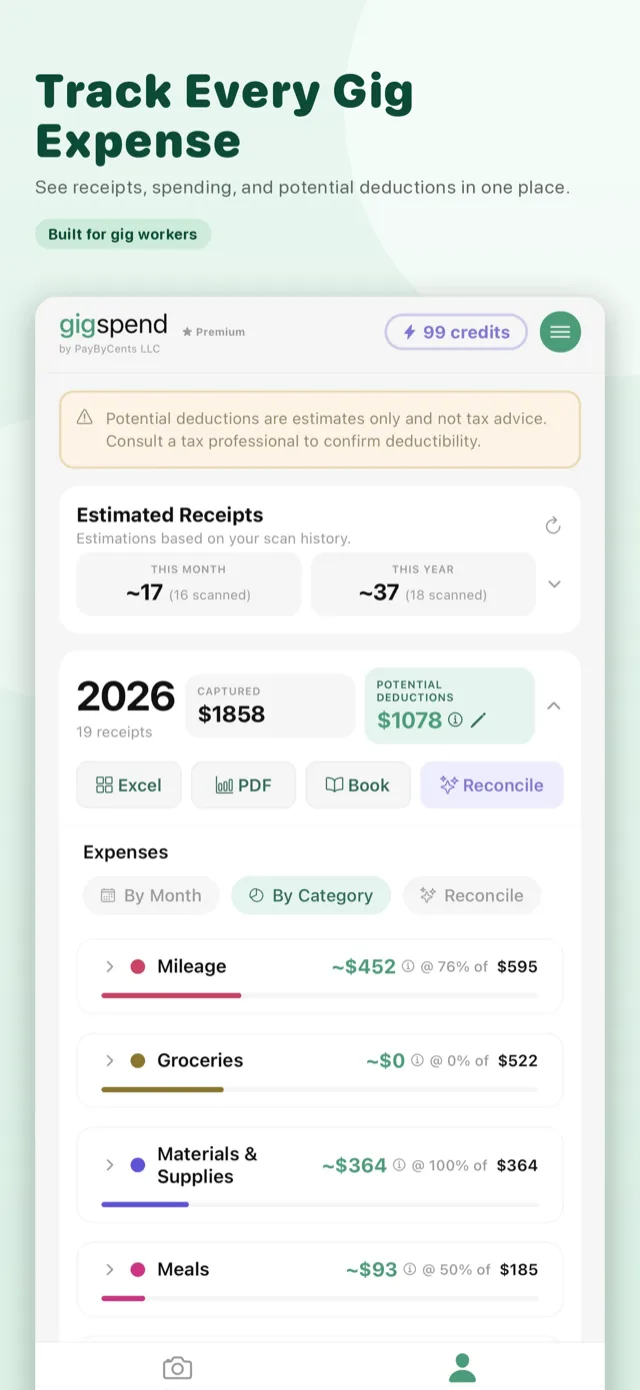
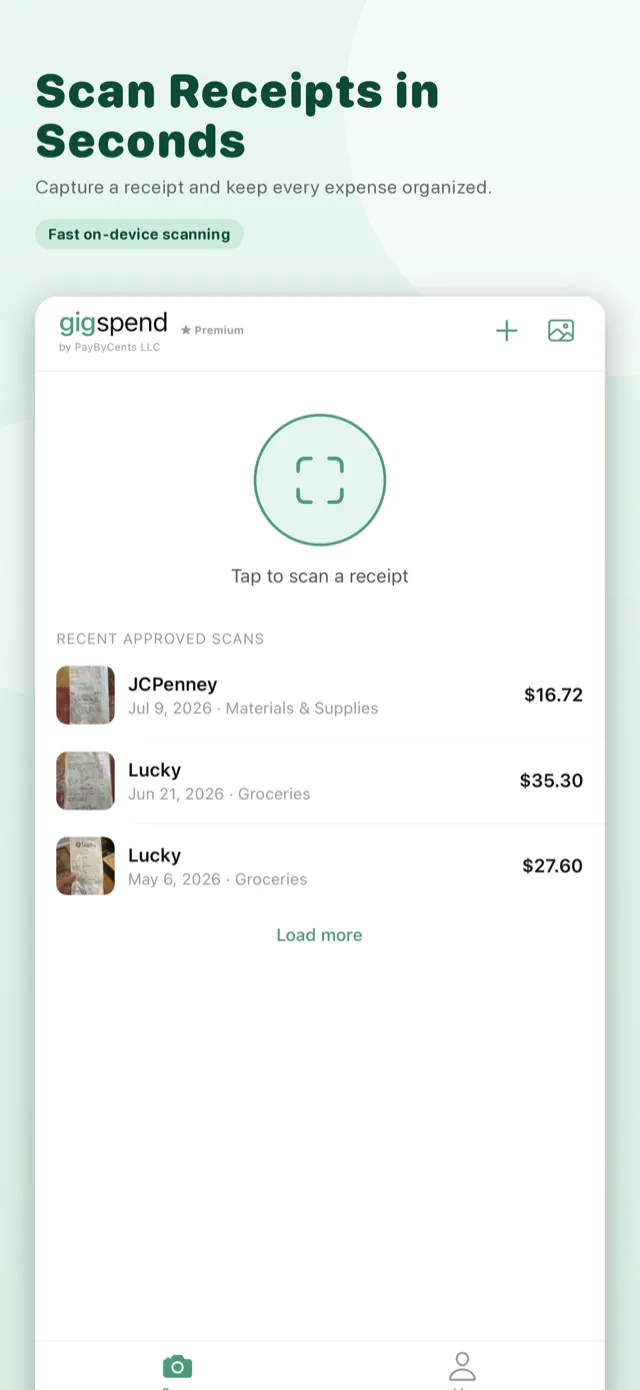
Gigspend is a complete expense and mileage system built for independent workers. It scans and itemizes receipts, tracks vehicle mileage, organizes expenses, estimates potential deductions, checks records for issues, backs up your data, and creates accountant-ready exports—all without a subscription.
Who is it for?
Drivers, shoppers, couriers, taskers, creators, and other self-employed workers—including people using DoorDash, Uber, Instacart, Lyft, Spark, Shipt, and TaskRabbit.
Is GigExpenseTracker the same app as Gigspend?
Yes. GigExpenseTracker is now Gigspend. It’s the same app with the same core tools.
Is it available on iPhone and Android?
Yes. Gigspend is available on the Apple App Store and Google Play.
Scan. Check. Approve.
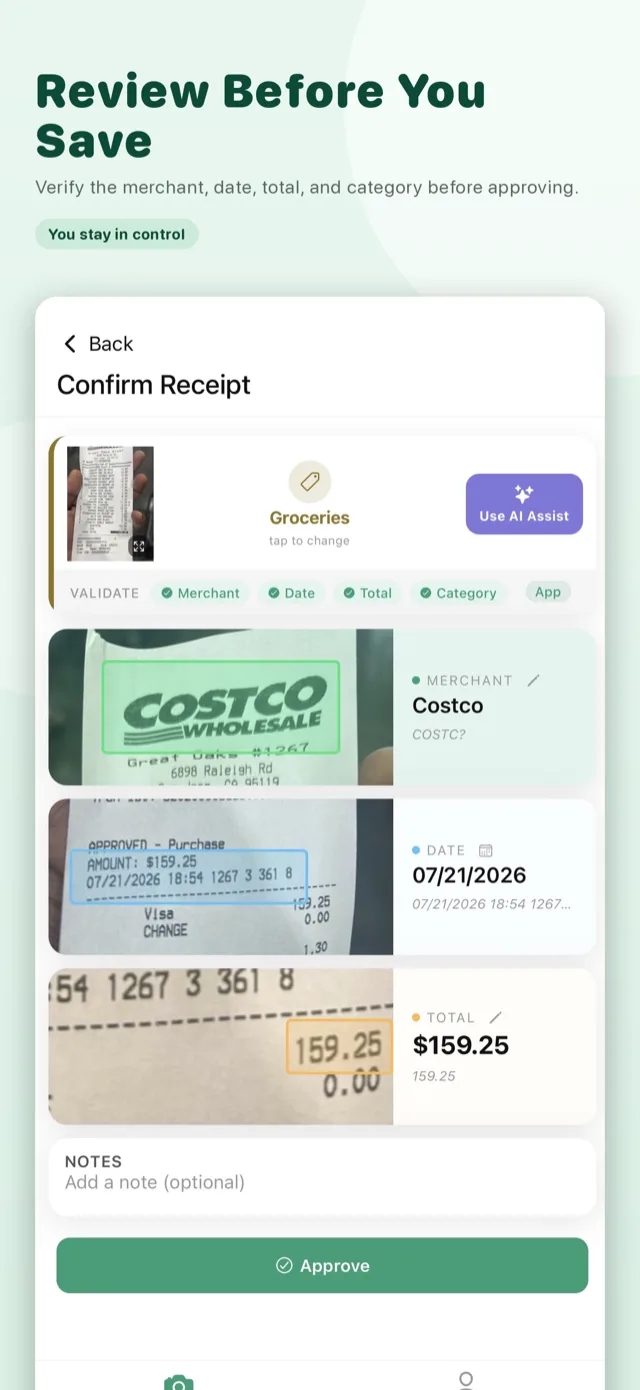
Gigspend extracts the merchant, date, total, and a suggested category. You compare the result with the receipt before approving it.
Receipts & mileage
What does a receipt scan capture?
The merchant, purchase date, total, and expense category. You can edit every field before approval.
What does AI Assist add after scanning?
After a receipt scan, optional AI Assist can extract additional information and individual line items for one credit. Review every result before saving.
Can I customize deduction rates?
Yes. Adjust business-use percentages for categories such as meals, fuel, phone, materials, and mileage.
How do I add a mileage log entry?
Select a vehicle and date. Gigspend carries forward that vehicle’s latest odometer reading as the starting odometer. Enter either the trip distance or the ending odometer; Gigspend calculates the other value. For a business trip, choose a business purpose and optionally type a destination or use the location button to suggest one. Mark personal trips as personal so they stay out of potential business-deduction estimates. Gigspend does not continuously track trips or location in the background.
Can I track more than one vehicle?
Yes. Add multiple vehicles, each with its own running mileage log and latest odometer reading.
Search
Can I search receipts and mileage?
Yes. Search both types of records in plain English. For example, try “Prius more than 12 mi,” “gas last month,” or a merchant name.
What information can Search find?
Search can match merchants, categories, business purposes, destinations, Notes, line items, dates, amounts, vehicles, and whether an entry is a receipt or mileage log.
Does Search send my queries to a server?
No. Search and suggestions run privately against the records stored on your device. Gigspend can keep up to eight recent searches locally, and you can clear them in Settings. Search history is not included in backups.
Pricing & credits
Is Gigspend really $4.99 once?
Yes. It is a one-time $4.99 purchase, with no subscription and no ads.
What costs extra?
The $4.99 one-time unlock removes the receipt and mileage limits. Optional AI Assist costs 1 credit and AI Reconciliation costs 2 credits per run. AI credits are not currently sold; eligible welcome offers, referrals, and promotions may provide credits.
Do normal scans use credits?
No. Standard scanning and tracking do not consume AI credits.
Catch issues before export.
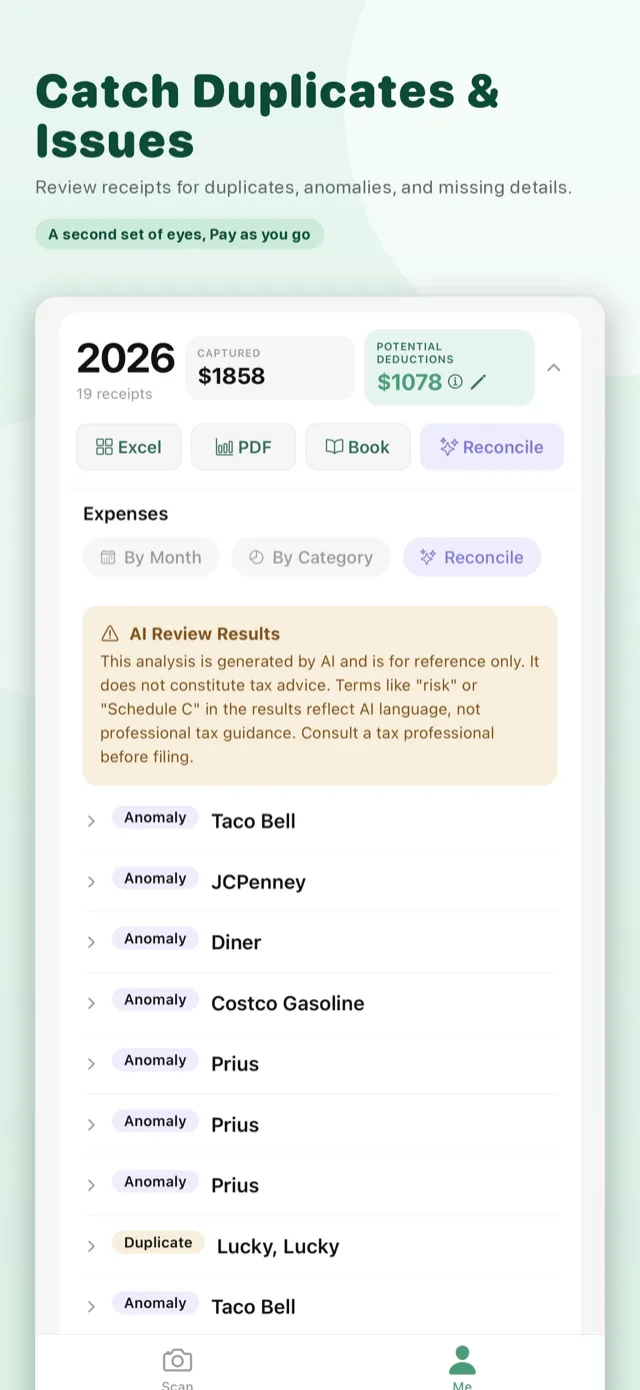
Optional AI Reconciliation reviews up to 300 approved receipts and your mileage log for possible duplicates, inconsistencies, and records worth another look.
AI features
What is OCR AI Assist?
When a scan is uncertain, it may run automatically. It sends recognized text—not the photo—and is free. You can opt out in Settings.
What is AI Assist?
An optional deeper read for difficult receipts that can improve details and split purchases into line items. It costs 1 credit.
What is AI Reconciliation?
It reviews up to 300 approved receipts and your mileage log for possible duplicates and inconsistencies. It costs 2 credits per run.
Does AI decide what I can deduct?
No. AI results and categories are references only. Gigspend is an organization tool, not tax advice.
Privacy & backup
Do I need an account?
No account or login is required.
Where do my receipt photos go?
They stay on your device unless you choose a feature that sends data or enable backup to your own iCloud or Google Drive. See the Privacy Policy.
Does Gigspend depend on a server to store my expenses?
No. Your receipts, mileage logs, reports, and expense data are stored on your device by default. Selected information is sent securely only when needed for a feature such as receipt scanning, AI Assist, Reconciliation, purchase verification, or a backup you choose to enable.
Does Gigspend sell my data or show ads?
No. Gigspend does not sell your data and has no ad integrations.
Can I back up and restore my data?
Yes. Create a private backup and restore your receipts using your own iCloud or Google Drive storage.
Reports & tax time
What can I export?
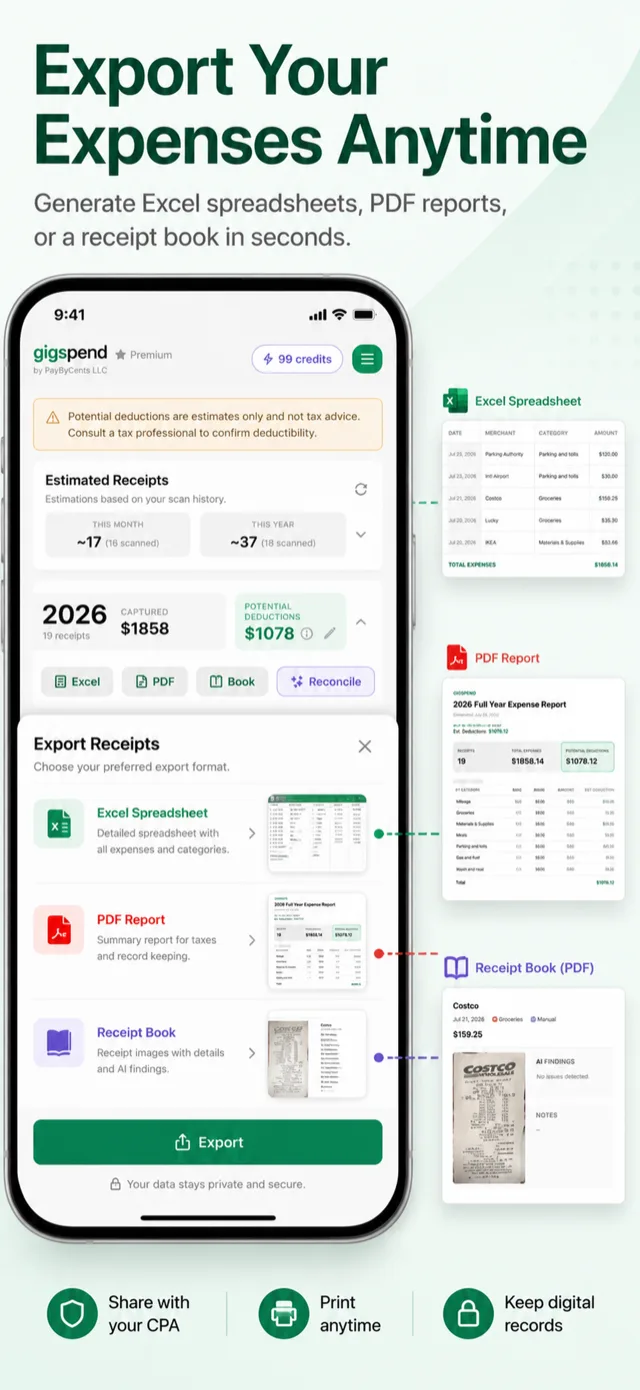
An Excel spreadsheet, PDF report, or receipt book with images for your records or accountant.
Are deduction estimates tax advice?
No. Estimates and categories are suggestions; deductibility depends on your circumstances. Consult a qualified tax professional.
Can Gigspend file my taxes?
No. It organizes records before filing, but does not prepare or file a return.
How do I contact support?
Email support@gigspend.app.